Clicker, whistle and session timer
Use the clicker to mark a training moment, or pair a whistle cue with a carefully taught response. Keep sounds at a comfortable volume and away from your dog’s ears. A whistle is a cue you teach; it does not automatically stop barking or produce recall.
Walk tracking with useful context
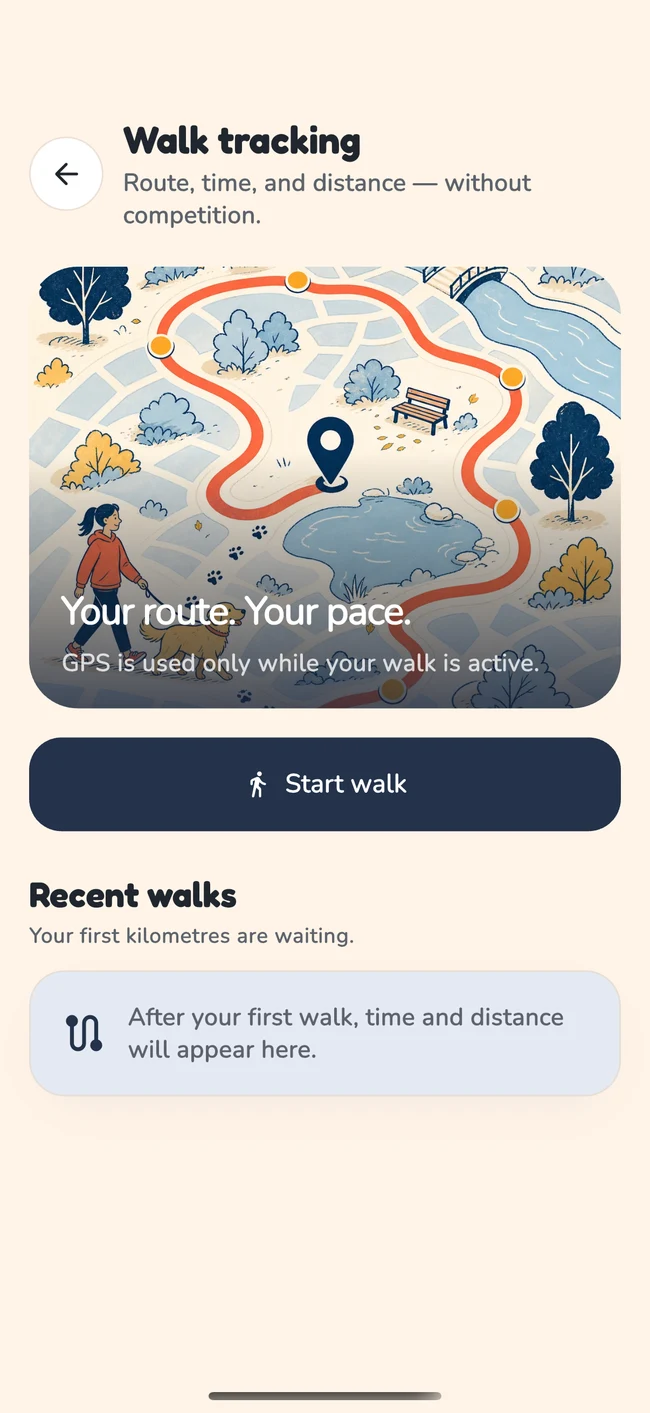
Track an active walk and review its route, distance and duration. Add the context that numbers cannot show: whether the route was crowded, where practice felt comfortable and which stretches needed more space. Location access is controlled through your device permissions.
A potty log for everyday patterns
Record toilet opportunities, successes and accidents to help the household coordinate. Look for useful routine changes, such as offering an outing sooner after waking. A log does not diagnose urinary, digestive or other medical conditions.
Breed information and small memories
Explore breed profiles and optional photo-based identification, then record favourite moments in Pawprints. A photo-based breed result is an estimate, not a DNA test or an individual prediction of temperament. Your dog’s actual behaviour remains the starting point.
Prepare sound tools before the training moment
A clicker and a whistle can both produce consistent sounds, but they need a taught meaning. Decide what each signal is for. A reward marker identifies a behaviour that just earned reinforcement; a recall cue asks for movement towards you. Avoid using the same sound for several unrelated jobs without a clear plan.
Try the control before starting the exercise, at a comfortable volume and away from the dog’s ears. Check whether using the phone is practical while holding rewards or a leash. If it makes your hands awkward, a marker word or suitable physical tool may be easier for that setting.
An everyday preparation example
Before a short indoor lesson, the handler checks the sound and puts rewards within reach. They decide to mark a voluntary turn towards them. During practice, the signal is followed by its reward. The phone supports the chosen sequence rather than adding an extra demand to it.
A whistle does not automatically stop barking, and a click does not instantly produce attention. Begin with the relevant foundation lesson. If a sound worries the dog, stop and choose a more comfortable approach instead of increasing the volume or repeating it until they tolerate it.
Give the session timer one clear job
Use a timer as a reminder to review the session, not as an instruction to continue until time runs out. Decide on a small goal and a finishing point before starting. The dog’s comfort and the difficulty of the task still determine whether practice should end earlier.
For example, you might prepare an attention exercise and use the timer to prevent the session drifting while you are concentrating on reward delivery. If the dog disengages, the room becomes busy or the movement looks uncomfortable, pause regardless of the remaining time.
Separate duration from quality
A short session can be useful because the preparation was clear and the repetition easy. A longer session is not necessarily better, even when more actions were completed. After finishing, record the context and next choice rather than treating elapsed time as the whole result.
You can also rehearse your own handling without the dog. That preparation may take longer than the eventual practice. There is no need to compensate by extending the dog’s session.
The short-session guide gives a complete preparation, practice and review pattern. Use the timer only where it makes that pattern easier to follow.
Pair the app record with the observation it cannot supply
DogPath’s active walk tracking and potty log can help you keep routine information together. Decide which question the record is meant to answer. A route can show where you went; it cannot, by itself, explain why your dog pulled at one corner.
- Question: where should we practise walking tomorrow?
- Review the outing’s route, then add your own observation: “The wide section was quiet; the gate was crowded.” The next choice is the wider practice area, not a longer distance target.
- Question: what happened on the puppy’s toilet trip?
- Record the observed toilet event in the potty log. In your household notes, distinguish a trip with no outcome observed and name the person supervising afterwards.
- Question: why was practice shorter today?
- Use elapsed time alongside the event: “A delivery interrupted us.” The time alone cannot tell you whether attention, comfort or the surroundings changed.
A record becomes an action
Record: the familiar walking route.
Your observation: dog traffic blocked the narrow gate.
Next choice: use the wider entrance and keep the practice stretch short.
These are review examples, not a claim that the app automatically detects behaviour or shares every note with other caregivers. Keep extra context in a place you choose. For tracking issues, check the app’s current permission guidance and use support if records are missing. A health concern belongs with your veterinarian regardless of how complete the log is.
Keep breed information and memories in their proper role
Breed profiles can provide broad context and questions to explore, while photo-based identification offers an estimate. Neither predicts an individual dog’s exact behaviour or replaces knowledge of their actual history, health and preferences.
Use that information to improve observation. You might consider what kinds of appropriate activity your dog enjoys, then notice what happens in real life. Avoid choosing a harsh method, a fixed exercise target or a personality label because a breed description seems to fit.
Make room for ordinary memories
Pawprints provides a place for small memories alongside the practical training work. A quiet outing or a familiar resting spot can matter without becoming a performance measure. Choose photos you are comfortable using under the app’s current privacy and consent information.
If a photograph includes another person, consider their privacy before sharing it with any feature. You do not need unrelated personal information to keep a useful record of your dog’s day.
The wider principle is to use each tool for a clear purpose. A breed estimate is not a diagnosis, a route is not a welfare score, and a completed timer is not proof of learning. Combine the record with the situation you observed and decide what will make the next day more manageable.
Questions & answers
Do I need to use every tool?
No. Choose the one that supports your current task. A simple lesson may need only a marker word and prepared rewards. Tools are useful when they reduce practical friction, not when they make the session harder to handle.
Can the potty log diagnose a health problem?
No. It can help you describe opportunities and outcomes. Contact your veterinarian about persistent, sudden or concerning changes, and seek urgent advice if your dog cannot pass urine.
Does breed identification work like a DNA test?
No. Photo-based identification is an estimate based on appearance. Treat it as general context and use your individual dog’s behaviour and professional advice when making care decisions.
What should I check if a tool is unavailable?
Review the current app instructions, relevant device permissions and the feature access shown in your account. If the issue continues, contact support with the device, app version and what happened. Do not send passwords or payment-card details.